All Greystone College students MUST attend Orientation on Campus.
Arrive 30 minutes early for admin tasks.
Please note: if the date below is a public holiday, the Start Date and Orientation will be on the Tuesday. Different cities may have different public holidays.

Pre-Arrival Support Sessions are available in the week before you start. Find the link to the Booking Calendar in your Orientation Information email.
Important: the support session is NOT your Orientation. You MUST attend the Orientation on your Start Date.

Greystone College Adelaide

Greystone College Brisbane
Orientation on campus

Greystone College Melbourne

Greystone College Perth
Orientation on campus

Greystone College Sydney
Greystone Australia has a 4-week session and students will always start in Week 1. The schools also have a scheduled break every 4th session.
Complete your pre-arrival tasks before Orientation.
See your schedule below.
If you have any problems, contact your agency or VETStudentSupportAustralia@greystonecollege.com.au
1. Complete your Digital Access

Go to the Student Setup Guide and complete the 3 Steps then continue with the USI and the e-Forms.
You cannot start studying until you have completed #2 and #3 pre-arrival tasks.
2. Provide your Unique Student Identifier (USI)

Create your USI then email it to VET Student Support
Click below for step-by-step instructions.
3. Complete your e-Forms in the myGreystone app

You must complete all 3 forms before you start class.
Go to the Orientation in the app or click on the links below.
4. Check your timetable

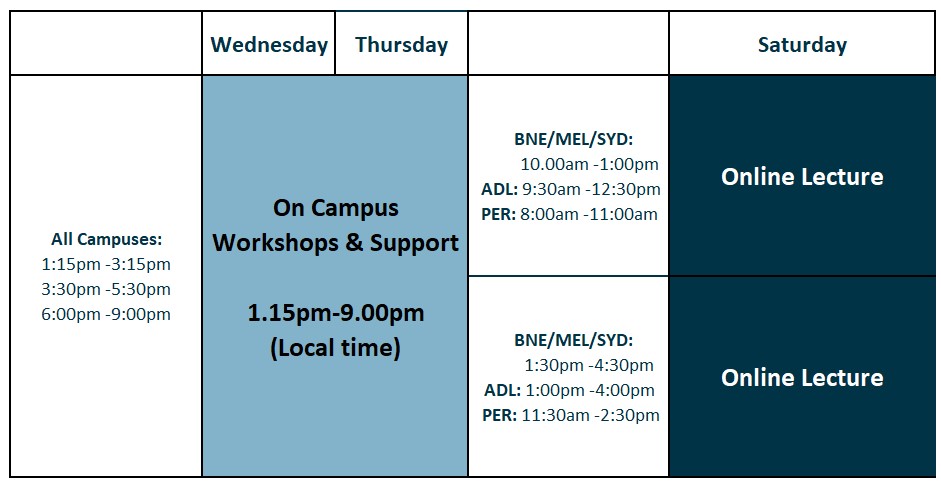
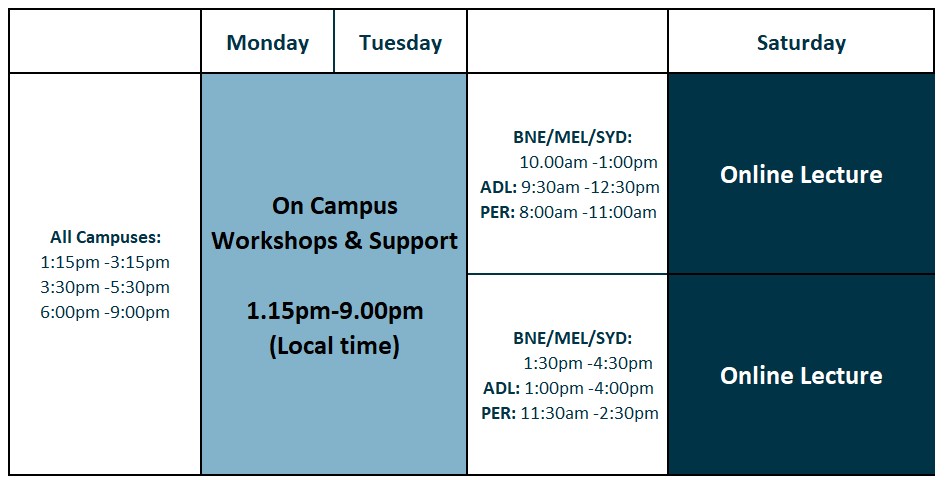
Weekday or Weekend?
Find the course you are registered for and see your timetable in the table below.
5. Upload a photo for your Digital Student Card
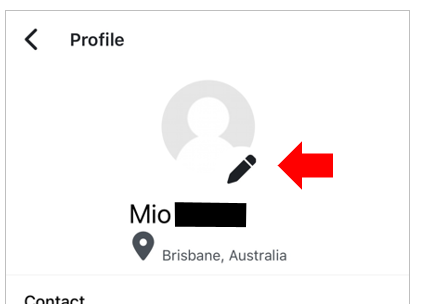
Go to your app, click on the photo circle in the top right, click on your profile name, then click on the pencil icon.
Check the requirements of a profile photo here:
6. CHECK THE READY FOR CLASS LIST

Go to the Ready for Class page, filter for your campus and check what pre-arrival tasks you need to complete.

You cannot complete the e-Forms if you do not activate your digital access or if your enrollment is conditional for Confirmation of Enrolment (CoE), visa or English level confirmation.
If your Moodle or app is blocked, contact your agency or VETStudentSupportAustralia@greystonecollege.com.au.
Weekday Courses
Please check your timetable in the Orientation Information Email

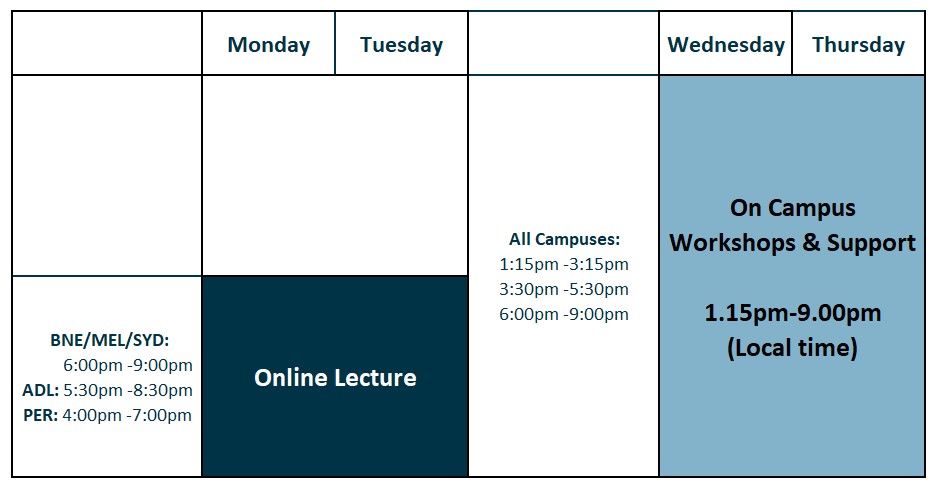
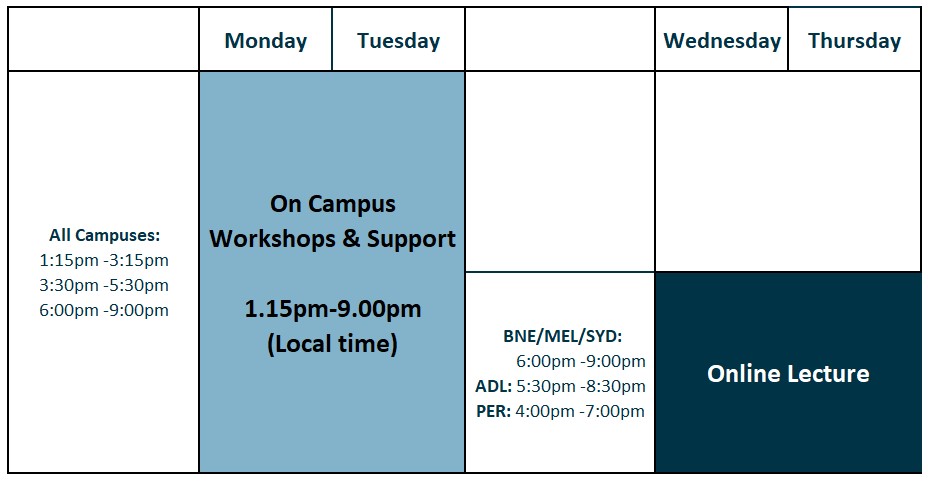
Weekend Courses
Please check your timetable in the Orientation Information Email